
Teaching the Basics of Podcast Editing to First-Time Creators

You hit ‘record’ and captured a fantastic conversation. The excitement is high, but then comes the next phase: the edit.
Anúncios
Learning the basics of podcast editing is often the biggest barrier separating passionate creators from published podcasters.
Many new hosts feel intimidated by audio software. Those timelines and complex buttons can look like a spaceship cockpit. But what if editing wasn’t just a technical chore?
What if, instead, editing was the part of the process where your show truly comes alive? It is the phase where you shape the narrative and add the polish.
This guide demystifies the process. We are focusing purely on the essential skills needed to transform raw audio into a professional, engaging final product. You can do this.
Anúncios
Summary of Topics:
- What Editing Actually Achieves
- Essential Software and Tools for Beginners
- A Step-by-Step Editing Workflow
- How to Use EQ and Compression (The Polish)
- Why Your Audio Levels (LUFS) Matter
- Common Mistakes to Avoid
- Frequently Asked Questions
What Exactly is Podcast Editing? (Beyond Cutting ‘Ums’)
Podcast editing is the art of selection and refinement. At its simplest, it involves cutting out mistakes, long pauses, or tangents that derail the conversation.
But effective editing goes much deeper. It is about pacing. Editing controls the flow of the conversation, ensuring your audience remains engaged from the intro to the outro.
It is also about clarity. This means removing distracting background noises, leveling the audio so one host isn’t louder than the other, and making the vocals clear.
Ultimately, editing builds authority. A clean, well-paced show signals to the listener that you respect their time and are serious about your content.
Why Can’t I Just Upload My Raw Recording?
The temptation to “record and publish” is strong. You finished the hard part, the conversation, and you just want your content out in the world.
However, raw audio is rarely forgiving. Listeners have incredibly high standards, even if they don’t consciously realize it. They are accustomed to professional broadcast quality.
A show filled with long, silent pauses, background hum, or jarringly loud laughter will cause listener fatigue. They will simply click ‘next’ on their podcast app.
According to 2025 data from audience researchers, listener retention is the single most important metric for show growth. Good editing is your best tool for retention.
Skipping the basics of podcast editing is like a chef serving ingredients on a plate instead of cooking the meal. The assembly is where the magic happens.
+ Spreading Knowledge on Open Banking and Data Security
What Equipment and Software Do I Need to Start?
Do not get trapped by “gear acquisition syndrome.” You do not need a $5,000 professional studio setup to start editing your show.
Your focus should be on two simple categories: hardware and software. For hardware, the only true necessity is a decent pair of “closed-back” headphones.
Why closed-back? These headphones isolate the sound. They allow you to hear the tiny, subtle imperfections—like a mouth click or a low hum—that you would miss on speakers.
For software, you need a Digital Audio Workstation (DAW). This is the program where you will cut, move, and process your audio files.
Many creators start with Audacity. It is 100% free, available for Mac and PC, and powerful enough for the basics of podcast editing. It handles the fundamentals perfectly.
Other modern options are gaining massive popularity. Descript, for example, allows youto edit your audio simply by editing the text transcript, a revolutionary workflow for many.
Platforms like Hindenburg are designed specifically for storytellers and journalists. They automate some of the more technical aspects, letting you focus on the narrative.
+ Learning Calligraphy: Tools, Techniques, and Practice Tips
How Do I Organize My Project (The Pre-Editing Workflow)?
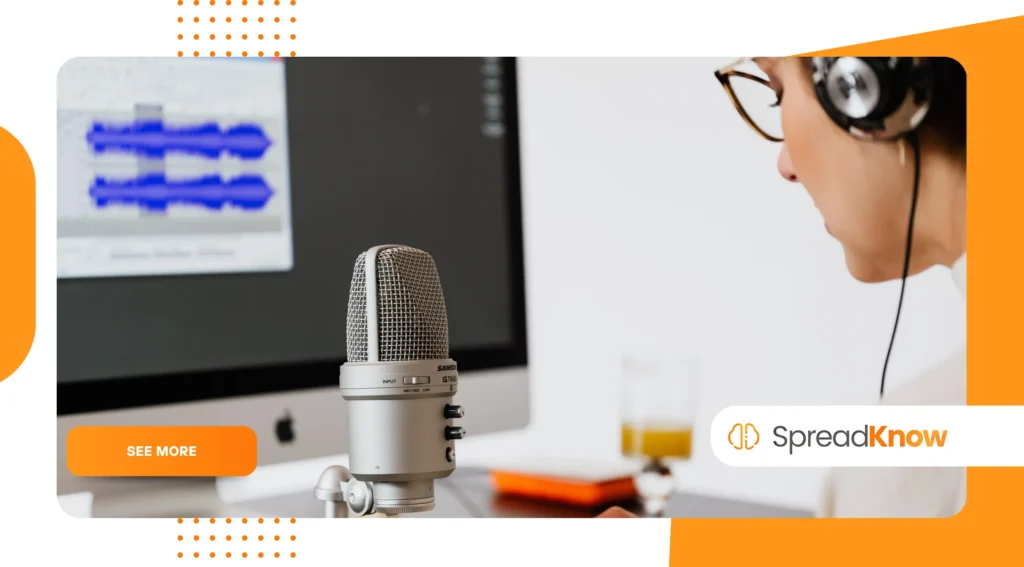
A clean edit starts before you drag a single file. A messy folder is the number one cause of headaches and lost work. Create a dedicated folder for every episode.
Inside that main episode folder, create sub-folders:
01_Raw_Audio02_Music_FX03_Project_Files04_Final_Export
This organization seems tedious, but it saves you. When you open the project file, the DAW knows exactly where to find the intro music and the guest’s audio track.
Open your DAW and import your tracks. If you recorded your voice and your guest’s voice on separate files (which you should!), place them on separate tracks in the timeline.
Your first job is synchronization. If you both clapped at the beginning of the recording, line up those visual “spikes” in the audio waveform. Now, you are ready.
+ Watercolor Painting for Beginners: Mistakes to Avoid
What Are the Core Steps in the Basics of Podcast Editing?
We can break the creative process down into three main phases: the rough cut, the fine-tuning, and the polish (adding music and effects).
Step 1: The ‘Rough Cut’ (Timeline Assembly)
Do not start by fixing tiny “ums.” You must assemble the story first. Listen to the entire conversation from start to finish, following along on the timeline.
Use your DAW’s “cut” or “blade” tool to remove entire sections that do not work. Did you go on a 5-minute tangent? Did the guest’s dog bark for 30 seconds? Cut it.
This is your ‘content edit’. You are making the big-picture decisions about what stays and what goes. Your goal is a timeline that flows logically.
Step 2: Fine-Tuning (Removing Distractions)
Now you listen through a second time. This pass is surgical. You are hunting for the small distractions that disrupt the listener’s experience.
These distractions include filler words (“um,” “ah,” “like,” “you know”), loud mouth-clicks, coughs, or accidental table bumps. Cut them out.
Be careful not. If you cut every single “um,” the conversation can sound unnatural and robotic. Sometimes, a small pause is more human.
Also, listen to the pacing of the silence. If your guest pauses for five seconds to think, that silence might feel like an eternity. Shorten it to one second.
Step 3: Adding the Polish (Music and Intros/Outros)
Your content is now clean and well-paced. The final creative step is adding the “production elements” that brand your show.
Drag your intro music onto a new, separate track. You will want the music to play for a few seconds, then “fade down” just as your voice comes in.
This is called a “fade,” and every DAW has a simple tool for it. It gently lowers the volume of one track while raising the volume of another.
Apply the same logic to your outro. The spoken content ends, the music fades back in, and then the music fades out completely.
How Do I Make My Podcast Sound Professional (Audio Processing)?
This section is where many beginners get scared, but it’s the secret sauce. Processing audio fixes problems and adds that “radio quality” polish.
Understanding the EQ (Equalizer)
An EQ, or equalizer, adjusts the frequencies of your voice. Think of it as a sophisticated tone control for boosting or cutting specific elements.
Your primary goal is clarity. Many new recordings sound “muddy” or “boomy” because of low-frequency buildup. A ‘high-pass filter’ is your best friend.
It cuts out low rumbles (like A/C noise or trucks) below 80-100Hz. This immediately cleans up the vocal track without affecting the voice’s richness.
If a voice sounds “nasally,” a small cut around 1kHz might help. If it sounds “dull,” a gentle boost around 5kHz can add presence and air.
Using Compression (Consistency)
Compression is widely misunderstood. Its job is to reduce the dynamic range—the gap between the loudest and quietest parts of your audio.
Listeners should not be constantly reaching for the volume knob. Compression automatically turns down unexpectedly loud laughs and boosts quiet mumbles.
This creates a smoother, more consistent, and “punchier” listening experience. Nearly every professional podcast uses compression on its vocal tracks.
Dealing with Noise (Noise Reduction)
Even with a good mic, you might capture a persistent background hiss (from a computer fan) or an electronic hum. Noise reduction tools can fix this.
Most DAWs have a “noise reduction” plug-in. You typically find a moment of “room tone” (pure silence with just the hiss) and tell the software to remove that specific frequency.
Use this tool gently. If you apply too much noise reduction, the voice will start to sound robotic and watery, like it’s underwater.
Meeting the Loudness Standard (LUFS)
Why do some podcasts sound quiet while others are deafening? The difference is their final loudness, measured in LUFS (Loudness Units Full Scale).
The industry standard, adopted by platforms like Spotify and Apple Podcasts, is approximately -16 LUFS for stereo files. This ensures your show sounds consistent everywhere.
Mastering the basics of podcast editing means respecting these standards. Tools like Youlean Loudness Meter (often free) help you measure your final output accurately.
What Are the Most Common Mistakes Beginners Make?
Knowing the basics of podcast editing also means knowing what not to do. Avoid these common pitfalls to stay ahead of the curve.
The most frequent error is over-processing. Beginners discover the EQ and compression tools and apply way too much. The audio becomes harsh, “s”-sounds become painful, and the voice sounds unnatural.
Another mistake is inconsistent levels. Your intro music might be deafening, followed by a very quiet guest. Use your eyes (the meters in your DAW) and your ears to balance everything.
Finally, many new editors ignore pacing. They cut out all the silence, and the result is a frantic, breathless conversation. Give your content room to breathe.
How Can I Edit Faster Without Sacrificing Quality?
Your time is valuable. Once you understand the fundamentals, your next goal is to become efficient. Speed comes from muscle memory, not from rushing.
First, learn your software’s keyboard shortcuts. Using keys to “cut,” “paste,” “fade,” and “zoom” will save you hours every month. Print them out and tape them to your desk.
Second, consider modern tools. The rise of AI-powered transcription services like Descript has fundamentally changed the workflow for many.
Editing the text document automatically edits the audio timeline. This allows you to visually scan for filler words or long pauses, which is much faster than listening in real-time.
Finally, create a template. Your project file, with your intro music already placed and your favorite EQ settings saved, should be ready to go.
Comparing Popular Editing Software (2025)
| Software | Best For | Learning Curve | Key Feature |
| Audacity | Absolute Beginners (Free) | Easy | Simple, free, cross-platform. |
| Descript | Creators Who Prefer Text | Easy | Edits audio by editing the transcript. |
| Hindenburg_ (Pro)_ | Storytellers/Journalists | Moderate | Optimized for spoken word, auto-levels. |
| Adobe Audition | Professional Production | Steep | Advanced restoration (part of Creative Cloud). |
Your Editing Journey Starts Now
The basics of podcast editing are not a barrier; they are a toolkit. Each skill—from the first rough cut to the final compression—is a tool to help you tell your story better.
It is a craft. You will get faster. Your ears will get smarter. You will start to hear the difference between a “muddy” track and a “clean” one.
Do not aim for perfection on your first try. Aim for completion. Your goal is to get your voice out there, and with these fundamentals, you are fully equipped to do so.
For those ready to explore advanced audio repair techniques, checking out the resources and tutorials from industry leaders like iZotope’s Learn portal can provide insight into professional-grade audio restoration.
Frequently Asked Questions (FAQ)
Q: How long should it take to edit a podcast?
A: This varies wildly. A common rule of thumb is 2-3x the length of the raw recording. A 60-minute interview may take 2-3 hours to edit, process, and export.
Q: Should I edit in Mono or Stereo?
A: For spoken word, mono is generally preferred. It places the voice solidly in the center and results in a smaller file size. Save stereo for your music and sound effects.
Q: What file format should I export my final podcast as?
A: Export your final file as an MP3. For spoken word, a bitrate of 128 kbps (mono) or 192 kbps (stereo) offers the best balance of quality and small file size.
